Fire TV Stick, 4K, 4K Max & Fire TV Cube
How to Install Strong 8K on Firestick
The Amazon Firestick is the most popular way to watch Strong 8K in the UK. It is cheap, plugs into any HDMI port and runs the best IPTV apps. Here is the full setup, start to finish, in about five minutes.
Quick answer
To install Strong 8K on a Firestick, turn on Developer options and allow apps from unknown sources, install the free Downloader app from the Amazon Appstore, use it to download your IPTV player, then log in with the Xtream Codes username, password and server URL we send you.
Before you start
What you need
A Firestick on Wi-Fi
Any Fire TV Stick, Fire TV Cube or Fire TV, connected to the internet and signed in to your Amazon account.
Your Strong 8K login
The username, password and server URL we send on WhatsApp. No login yet? Request a free trial.
About five minutes
Most of that time is the app downloading. Keep your remote nearby.
Step by step
Install Strong 8K on your Firestick
Menu names can differ slightly between Fire OS versions. If you cannot find an option, message us a photo of your screen.
Turn on Developer options
Go to Settings, then My Fire TV, then About. Select your device name seven times until you see “You are now a developer”.
Allow unknown apps
Go back to My Fire TV, open Developer options and turn on Install unknown apps (or Apps from unknown sources on older models).
Install Downloader
From the home screen, open Find, search for Downloader and install the free app from the Amazon Appstore. Allow it to install unknown apps when asked.
Download your IPTV player
Open Downloader and enter the download address of your chosen player from its official website. We send the current link with your login, as these change from time to time.
Log in with Xtream Codes
Open the player, choose Xtream Codes or Add playlist, and enter the server URL, username and password exactly as we sent them.
Load channels and watch
Wait for channels, films and the guide to load, usually under a minute. Add favourites, and move the app to the front of your home screen.
Only install apps from their official source. Avoid “pre-loaded” sticks and unknown APK files from forums. They can be out of date or unsafe. If you are unsure which link to use, ask us.
Which app?
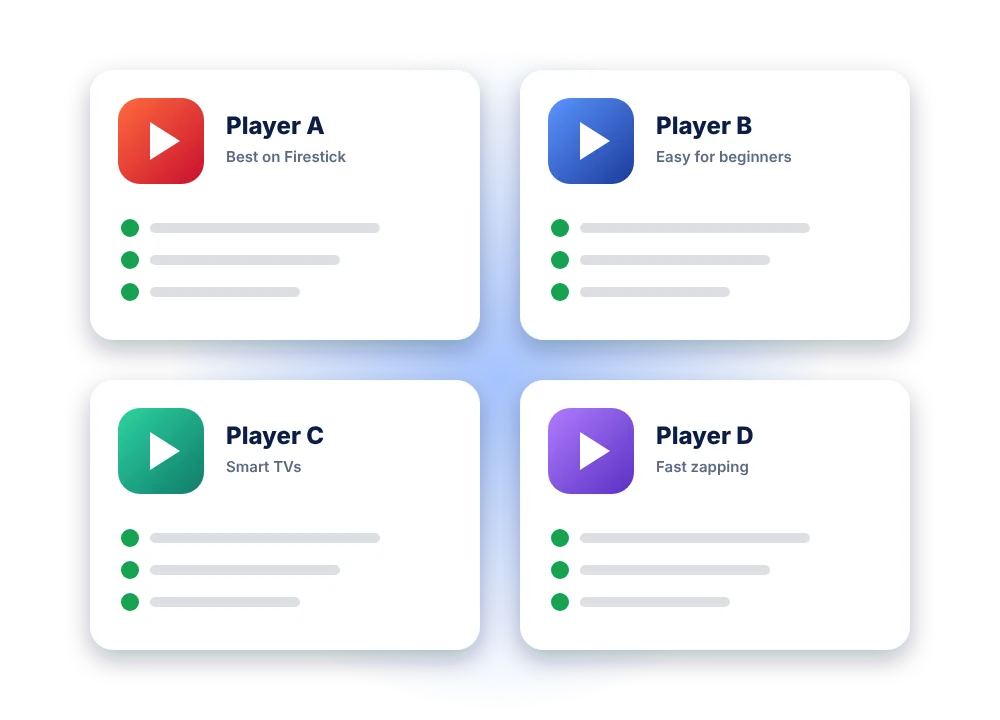
The best apps for Strong 8K on Firestick
| App | Best for | Cost |
|---|---|---|
| TiviMate | The best TV guide, recordings and a cable-TV feel | Free with limits, Premium unlocks everything |
| IPTV Smarters Pro | Beginners: simple menus for live TV, films and series | Free |
| XCIPTV | Fast channel switching on older Firesticks | Free |
Prices and availability change, so check the developer’s site. Our full app comparison covers every device, and our blog post on the best IPTV app for Firestick goes deeper.
Troubleshooting
Common Firestick errors and quick fixes
| Problem | Likely cause | Fix |
|---|---|---|
| Downloader will not install the app | Unknown apps are still blocked for Downloader | Settings, My Fire TV, Developer options, Install unknown apps, and turn Downloader on |
| “Invalid login” or “authorisation failed” | A typo, an extra space, or the wrong server URL | Re-enter the details exactly, including http:// and the port number |
| Channels buffer or freeze | Weak Wi-Fi or a full cache | Clear the app cache, use 5 GHz Wi-Fi or an Ethernet adapter, restart the Firestick |
| The TV guide is empty | The EPG has not downloaded yet | Use the app’s update EPG option and wait a few minutes |
| Firestick is slow or overheating | Too many apps running or low storage | Uninstall unused apps, unplug for 60 seconds, and use the power adapter, not the TV’s USB port |
More fixes in our Strong 8K not working guide.
FAQ
Strong 8K on Firestick: your questions
Which Firestick is best for Strong 8K?
Any current Fire TV Stick works. For 4K channels and smoother menus, the Fire TV Stick 4K or 4K Max is the better choice, especially on large TVs.
Is Strong 8K in the Amazon Appstore?
Strong 8K is a subscription, not an app. You install an IPTV player and log in with your Strong 8K details. Some players are in the Appstore, others are installed with Downloader.
Do I need a VPN on my Firestick?
It is not required to use Strong 8K. Some people use one for privacy. If you only have problems at busy times, tell us first, as there is often a simpler fix.
Can I use one subscription on two Firesticks?
Yes, install it on both. To watch on both at the same time, choose a 2-device plan.
Will installing apps void my Firestick warranty?
No. Turning on Developer options is a standard Fire OS setting, and you can turn it off again at any time.
Try Strong 8K on your Firestick free for 24 hours
We send your login and the current app link. If anything is unclear, we help on WhatsApp.